
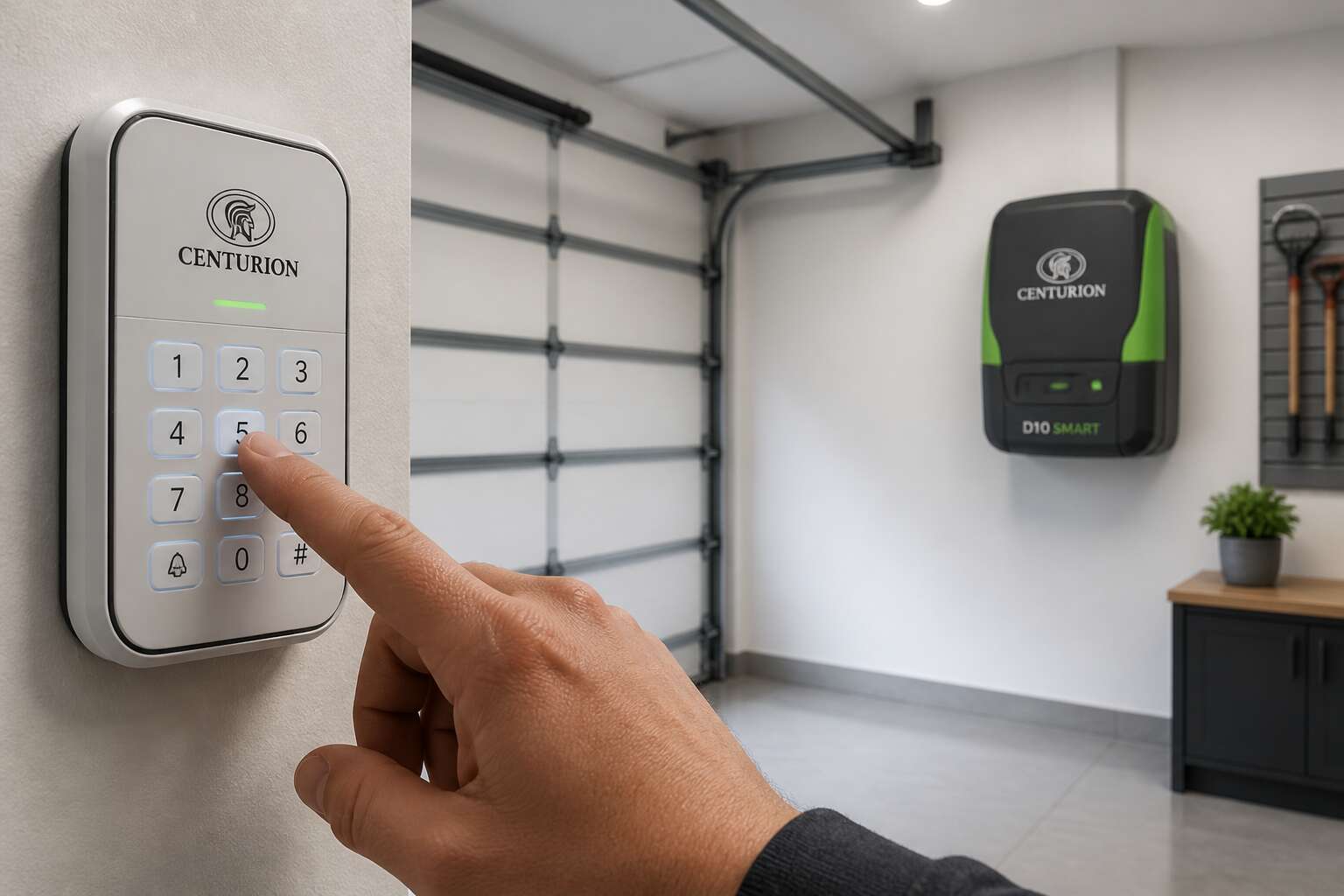
Understanding Your Garage Door Motor System
Most South African homeowners treat their garage door motor as a simple switch. I did too, until my door refused to close during a thunderstorm. The system is a precise assembly of mechanical and electronic parts. The motor itself only provides the force. The control board manages the travel limits, the remote receiver decodes your signal, and the safety sensors prevent accidents.
Understanding these components is the first step toward mastering your setup. A typical centurion system includes:
- The motor unit, either AC or DC
- The trolley and chain or belt drive
- The control board with its programming buttons
- The photo beam and safety edges
Each element has a specific job. When one fails or drifts out of calibration, your door behaves erratically. That is when centurion garage door motor programming matters. It realigns every component to work as one unit.
Mastering Remote Programming Basics
There is a specific frustration when your garage remote clicks but the door refuses to move. Most people assume the motor is broken. In reality, the issue often sits in the remote’s memory, which has lost its pairing with the receiver unit.
Centurion garage door motor programming starts with clearing that old memory. You hold the learn button on the motor housing until the indicator light blinks. Then you press the remote button twice. The sequence matters more than speed.
- Check the battery voltage first, a weak battery fails to transmit the full signal.
- Keep the remote within three metres of the motor during programming.
- Press and release the remote button, do not hold it down.
Once the light stays solid, the pairing is complete. Test the door fully, open and close, before you climb back into the car. This simple process solves most remote failures without a technician.
Advanced Programming Features and Adjustments
There is a quiet ceremony in teaching a machine its boundaries. When you step into centurion garage door motor programming, you are not only pressing buttons, you are calibrating trust. Most people stop at the basics, but the advanced settings hold the real poetry.
Consider what happens when the door meets resistance. The motor learns the physics of your specific entrance, its quirks and sighs. Adjusting the travel limits and force sensitivity transforms a stubborn mechanism into a seamless partner.
- Set the close limit so the door rests with a soft hum, not a slam.
- Fine tune the force threshold to respect a child’s ball left in the way.
- Relearn the open limit after changing weather seals.
Each adjustment becomes a small act of care. The better you know centurion garage door motor programming, the more your home speaks back. That is the quiet triumph of a well adjusted machine.
Troubleshooting Common Programming Failures
Every centurion garage door motor programming session follows a familiar arc. You press the learn button, the indicator blinks, and then nothing. The door sits there, immovable and smug.
In my experience, the failure rarely lies in the motor itself. Power surges from load shedding scramble the onboard memory. A simple reset restores order, but first, inspect these usual suspects:
- The limit switches, which may have drifted out of calibration.
- The backup battery, which can hold the system in a confused state.
- The remote transmitter, whose signal may be swallowed by a neighbour’s new security gate.
Here is the peculiarity of this system. The motor learns through repetition, so an interrupted sequence leaves it half trained. The full cycle, completed without interference, is the only cure for that particular stubbornness. Such is the quiet ritual of centurion garage door motor programming.
Safety Protocols and Maintenance Tips
Programming a Centurion motor is only the first step. The real work lies in safe operation. I have seen too many homeowners skip the basics. First, disconnect the motor from the power supply before touching any wiring. This sounds obvious, yet it is the most ignored rule.
Also, test the auto-reverse function monthly. Place a solid object in the door’s path and watch if it stops and reverses. If it does not, call a professional.
For maintenance, stick to a simple rhythm:
- Lubricate the chain and rails every six months.
- Tighten all bolts and brackets, as vibration loosens them over time.
- Check the photo-eye sensors for dirt or misalignment.
A clean sensor is a happy sensor! And remember, centurion garage door motor programming is not a one time event. Reprogram after any power surge or battery change. This keeps your door responding only to you.
Professional Assistance and Extended Sky Support
Some programming tasks look simple on paper. They rarely are in practice. When your Centurion motor refuses to accept a new remote, or the travel limits drift mid-cycle, frustration sets in fast. I’ve watched homeowners spend an entire weekend wrestling with settings that still refuse to stick. Professional assistance changes the equation. A trained technician brings diagnostic tools and manufacturer knowledge. They see fault codes you can’t interpret. They know firmware quirks that confuse DIY guides.
Extended Sky support adds another layer of protection. It gives you access to backup systems when the primary setup misbehaves. Consider what that means during a power surge or after load shedding.
– Verification of receiver sensitivity
– Firmware checks on the main control board
– Proper alignment of the safety beams
These checks take minutes for a professional. They can save you hours of trial and error. That’s the practical difference between hoping your centurion garage door motor programming holds and knowing it does.
0 Comments